Setting Up a Speed Feedback Sign at a School Zone or Work Site: A Practical Guide
Buying a sign is the easy part. Making it work on a real road is where most of the effort goes. The power runs low, a tree blocks the radar, nobody remembers to change the schedule when the term ends, and slowly the sign becomes one more piece of roadside furniture that drivers ignore.
If you are planning to install a vehicle speed sign at a school zone or a construction site, a little thinking at the start saves a lot of trouble later. The points below draw on the published specifications of the Sinowatcher Radar Speed Sign with Driver Feedback, plus some plain common sense about how roads behave.
Find out your real speeds first
Before choosing any settings, learn how fast vehicles actually travel on that stretch. The posted limit and real behaviour are often quite different. The sign supports local speed data logging, so one sensible approach is to run it for a short period, export the recorded data and look at the traffic before you decide how strict to be. Even a short manual check with a handheld speed device gives you a starting picture.
Choose the detection distance
The standard detection distance is 100 m, and 150 m or 200 m are optional. Think about the road in front of you. If vehicles come quickly along a long straight, extra range gives drivers more time to slow down. If the road bends or buildings close in, extra range may not help much, because the line of sight is short anyway.
Radar also needs a clear view of oncoming vehicles. Keep branches, other signs and parked vehicles out of the way, and remember that the listed viewing angle is plus or minus 30 degrees, so the display reads best when drivers are facing it.
Decide how it will be powered
The product page lists solar or external DC power with battery backup, and the voltage range is given as DC 12V. Solar is a natural fit where there is no mains supply nearby, such as a rural approach road or a temporary work area. A site in heavy shade is a poorer candidate for solar, and an external DC supply might suit it better. Whatever you choose, make the power plan before the day of installation, not on it.
Think about mounting and moving
The manufacturer describes the sign as suitable for fixed, temporary and mobile applications, with pole-mounted, portable configurations available. Stainless steel screws are listed among the accessories. Your choice depends on the job. A school frontage usually needs a permanent position. A construction site, where the work front keeps shifting, may need a unit you can relocate as the layout changes.
Set the limits, schedules and icons
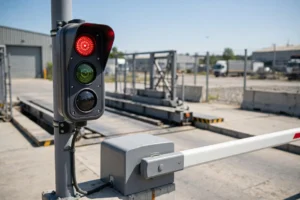
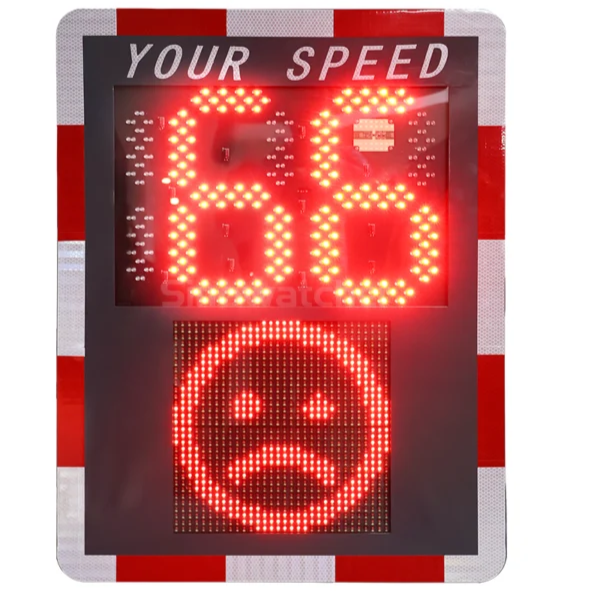
According to the FAQ on the page, authorised personnel can configure speed thresholds, operating schedules and feedback icon settings through the local interface. That is useful for a school, where you may want the sign active around arrival and dismissal times. When the detected speed goes over the threshold, the display changes from green to red and shows the warning icon. Within the limit, it stays green with a positive icon. Set the threshold in line with the posted limit so drivers see a consistent message.
Plan for weather and upkeep
The housing is aluminium with outdoor powder coating, which is meant to stand up to long-term outdoor use. Even so, a roadside device needs a little attention. Wipe the display clean now and then, check that the mounting hardware has not loosened, and if you use solar, keep the panel free of dust and leaves. These are small jobs, but they are the difference between a sign that works for years and one that quietly stops.
Check whether it worked
After a few weeks, export the logged data again and compare it with the readings you took at the start. Did speeds fall? Did they fall at the hours that matter, such as the school run? If not, the answer may be a different position, a longer detection distance or a change in how the sign is used alongside other measures. A sign does not replace good road design or enforcement, but it gives drivers a clear, immediate reason to slow down, and the data tells you honestly whether it is doing that.
A final thought
The manufacturer also says custom configurations are available for display size, detection range, power supply and feedback modes. If your site has unusual needs, ask about these before you order. A few questions at the start are cheaper than a repositioned sign later.