How Do You Write Better Motion Prompts for AI Videos?
A compelling AI video depends on more than an interesting starting image. The motion prompt determines what happens next, how subjects interact with their surroundings, and how the camera reveals each moment. A useful prompt reads more like a director’s instructions than a collection of visual keywords. It describes an action, establishes its pace, and communicates the intended atmosphere. Understanding how to structure these instructions gives creators greater control over the transition from a static image to a moving scene.
Think Like a Director When Describing Movement
Replace General Verbs with Observable Actions
The difference between a vague prompt and a useful one often comes down to the verbs. Words such as “move,” “change,” or “animate” communicate an intention but leave the actual performance open to interpretation. More specific instructions describe visible actions. Instead of writing “a woman moves,” describe how she slowly turns her head, looks toward the window, and gently raises her hand. Each action provides a recognizable visual event. The same principle applies to objects and animals. A car can accelerate along a curved road, while a bird can spread its wings before taking flight. When writing an image to video ai prompt, choose verbs that describe what the viewer should actually see rather than simply naming the desired result.
Give Every Action a Clear Sequence
Movement becomes easier to communicate when the prompt establishes an order of events. A character cannot perform several unrelated actions simultaneously in a convincing sequence. Describe what happens first, what follows, and how the movement finishes. For example, a person might walk toward a table, stop beside it, and pick up a glass. This creates a simple progression with a clear beginning and ending. The same approach works for cinematic scenes. A flower might gradually open as the camera moves closer, revealing its petals in greater detail. Avoid combining too many major actions into one sentence. A focused sequence gives the model a more understandable description of the intended performance and makes the resulting video easier to evaluate.
Describe the Quality and Rhythm of Motion
Two videos might show exactly the same action but communicate completely different feelings. A slow head turn creates a different atmosphere from a sudden movement. Therefore, good motion prompts should describe not only what happens but also how the action unfolds. Useful modifiers include gradually, gently, sharply, steadily, and rhythmically. Creators can also describe pauses, acceleration, and changes in intensity. For example, a dancer might begin with controlled movements before transitioning into a faster spin. A cinematic reveal might start with a slow camera approach and finish with a brief pause on the subject. These details establish visual rhythm and give the generated sequence a more deliberate character.
Build More Precise Prompts with Camera Direction and Scene Control
Separate Subject Movement from Camera Movement
One of the most important techniques in motion prompting is distinguishing the subject’s actions from the camera’s behavior. A person walking forward describes subject movement. A camera tracking alongside that person describes camera movement. These instructions serve different purposes and should be written clearly. Common camera directions include tracking shots, pans, tilts, dolly movements, and close-ups. For example, a prompt might describe a cyclist riding through a city street while the camera follows from a low side angle. This establishes both the action and the viewpoint. Kling 4.0 supports cinematic camera work, including dynamic tracking and complex camera movements. Its image-to-video workflow allows creators to describe these elements as part of a more intentional visual composition.
Keep Physical Interactions Understandable
A convincing motion prompt should explain how the subject interacts with the environment. This is particularly important when a scene includes objects, clothing, water, wind, or multiple moving elements. Instead of writing “a person stands in the rain,” describe the rain falling around the person, droplets collecting on the coat, and the subject slowly turning toward the street. These details establish relationships between different elements in the scene. Physical direction also matters. Hair might move in the wind, fabric might follow a turning body, and water might ripple outward when an object touches its surface. Kling 4.0 focuses on more stable, physically convincing motion across demanding scenes. Describing the relevant interactions gives the generation a clearer creative direction.
Use References and Keyframes to Guide Scene Progression
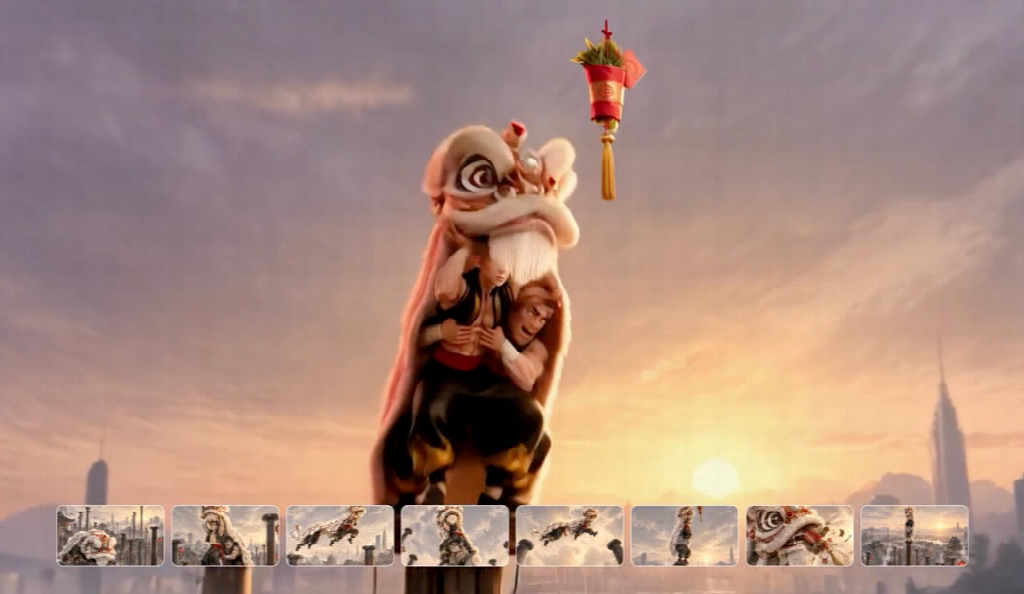
Written prompts communicate creative intent, while visual references provide additional guidance about appearance, movement, and scene structure. A character reference establishes the intended subject, while a motion reference can communicate a particular action or movement style. Kling 4.0’s Omni Reference supports up to 15 combined reference assets, including images, videos, and subjects, subject to individual input limits. Creators can also use up to 10 flexible keyframes to guide important moments in a sequence with supported settings. These options are particularly useful when a video needs several connected actions or a carefully planned visual transition. For example, a product reveal might begin with a wide shot, move toward the product, and finish with a close-up of a specific detail. Each reference or keyframe should serve a defined purpose within that progression.
Conclusion
Better AI video motion prompts communicate movement as a sequence of deliberate visual decisions. Specific verbs define actions, timing establishes rhythm, and camera instructions determine how viewers experience the scene. Physical interactions and visual references add further creative direction. Rather than filling prompts with descriptive keywords, focus on the relationship between each action and the next. With Kling 4.0, creators can combine written instructions, references, and keyframes to develop more structured, expressive, and cinematic video sequences.